 ChatGPT
 Claude
 Gemini
If you have ever run a technical audit on your website or dug into your analytics platform, you have likely encountered web addresses ending with a specific four-letter suffix. Seeing these auto-generated paths often triggers immediate questions for site owners: What is there /feed/ in my URL? Does it affect anything? Are these pages wasting my crawl budget? Do they cause duplicate content penalties?
The short answer is that you do not need to panic. These suffixes are a standard, built-in feature of most modern content management systems, particularly WordPress. They are not hacking attempts, nor are they broken pages. They serve a very specific, structural purpose for content syndication across the web.
To fully optimize your website’s architecture, you need to understand exactly how these paths function, how search engine bots interact with them, and how to manage them properly so they enhance, rather than hinder, your digital presence.
What is RSS Feed URL? vs. What is RSS Feed?
While webmasters often use these two terms interchangeably, distinguishing between them is critical for a solid technical understanding.
So, what is RSS Feed URL? It is simply the digital pathway, the specific web address, that an external application, browser, or server uses to request updated data from your website. Think of it as the doorway. When you see yourdomain.com/blog/feed/, you are looking at the exact routing address that software uses to ask your server for new information.
Scale Faster and Smarter with Vaphers
From visibility to conversions, Vaphers builds high-performance digital systems designed to attract, convert, and scale your revenue consistently.
On the other hand, what is RSS Feed? (Really Simple Syndication). The feed itself is the actual payload delivered when that URL is requested. It is an XML file, a structured, machine-readable document that contains your latest headlines, meta descriptions, publication dates, and hyperlinks to your newest articles.
In a nutshell: the URL is the delivery route, and the XML file is the package. Together, they allow news aggregators like Feedly, email marketing platforms, and automated social media schedulers to instantly grab and distribute your latest posts without requiring users to manually visit your homepage.
Does RSS Feed Help SEO? The Truth About /feed/ URLs
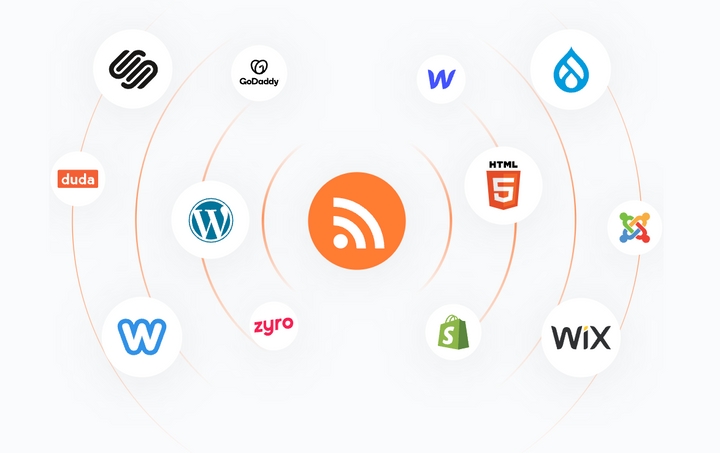
When business owners spot unfamiliar URLs, their first concern is usually search engine optimization. Does RSS Feed help SEO? The answer is yes, but primarily in an indirect, structural way. Let's break down the three main SEO concerns:
Duplicate Content Concerns: Many webmasters worry that because the XML file lists their blog posts, search engines will flag the site for duplicate content. This is a myth. Search engines inherently understand that syndication files are not standard web pages. They recognize the XML format and know it exists to broadcast content, not to duplicate it.
Indexation: You do not want these raw XML files appearing in search engine results pages (SERPs) because they provide a poor user experience for human readers. A proper technical setup ensures these paths are crawled but not indexed.
Content Distribution: By automating how your content reaches subscribers and third-party platforms, you generate more immediate traffic and potential backlinks. If you are running comprehensive campaigns, such as offering global seo services, fast syndication ensures your thought leadership reaches an international audience the moment you hit publish.
How Google Deals With RSS Feeds?
Understanding how Google deals with RSS feeds? is crucial for managing your crawl budget. Googlebot constantly scours the internet for fresh content. While your XML sitemap acts as a comprehensive map of your entire website, your RSS file acts as a fast-track alert system for your newest updates.
When you publish a new article, Googlebot will often check your feed URL to immediately discover the fresh link, speeding up the indexing process. The crawl budget spent on reading a lightweight XML file is microscopic, and the trade-off, getting your new pages indexed faster, is incredibly beneficial. Google actively encourages the use of both XML sitemaps and RSS feeds to ensure optimal crawling efficiency.
Hear What It's Like to Work With Vaphers!
"Vaphers is a fantastic company to work with. They provide the reporting I need, the results I want, and if there is a problem they reach out first and have a plan on adjustments."
LANDSCAPER
Best Practices for Managing Your Syndication Paths
Managing these paths requires minimal effort, but you must get the technical details right to avoid unintentional roadblocks in your SEO strategy.
Keep Them Unblocked in Robots.txt: A common mistake is adding a
Disallow: */feed/directive in therobots.txtfile. Do not do this. Blocking search engines from accessing this path prevents them from discovering your new content quickly.Implement the Noindex Tag: While you want bots to crawl the path, you do not want the XML file to rank. Ensure your SEO plugin automatically adds a
noindexHTTP headers to these URLs. You can verify this using the URL Inspection tool in your search console.Leverage for Local Visibility: Feeds are not just for broad audiences. If you are executing a targeted local search engine marketing campaign, connecting your localized blog updates to regional directories or automated local social channels via RSS can significantly boost your community presence.
Master Your Site Architecture
Seeing unexpected parameters in your analytics does not have to be a source of stress. Those syndication paths are quiet workhorses operating in the background of your site architecture. They streamline content distribution, assist bots in rapidly discovering your latest updates, and power the automated marketing tools you rely on daily. By ensuring they are open to crawlers but closed to indexation, you turn a confusing technical quirk into a fully optimized asset for your organic growth strategy.
About the Author: Muhammad Asad
Digital marketing strategist, SEO consultant, and technology writer contributing insights on search engine optimization, full-stack web development, and digital brand acceleration.